Camera card backup for Mac and Windows

Is it on your drive?

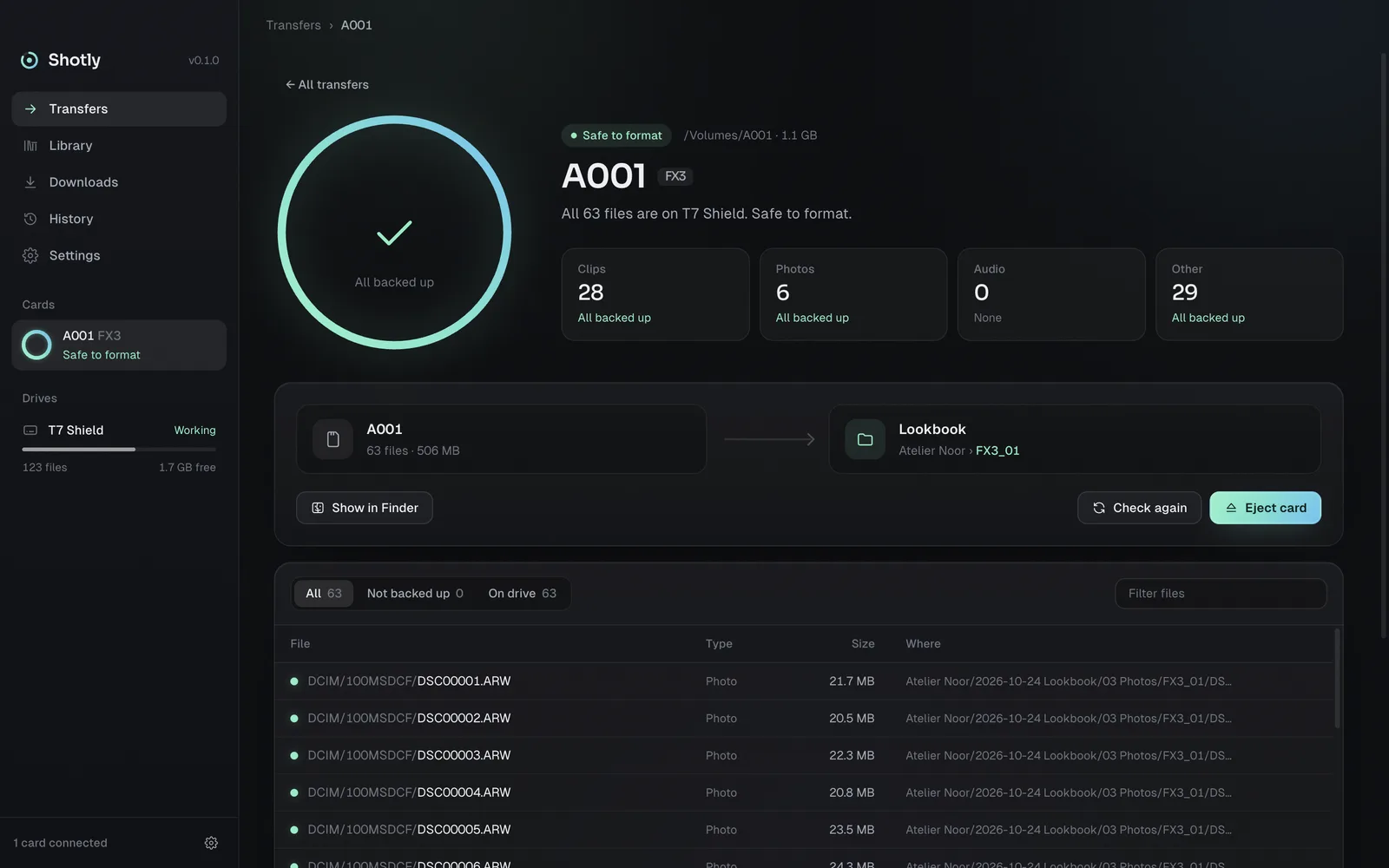
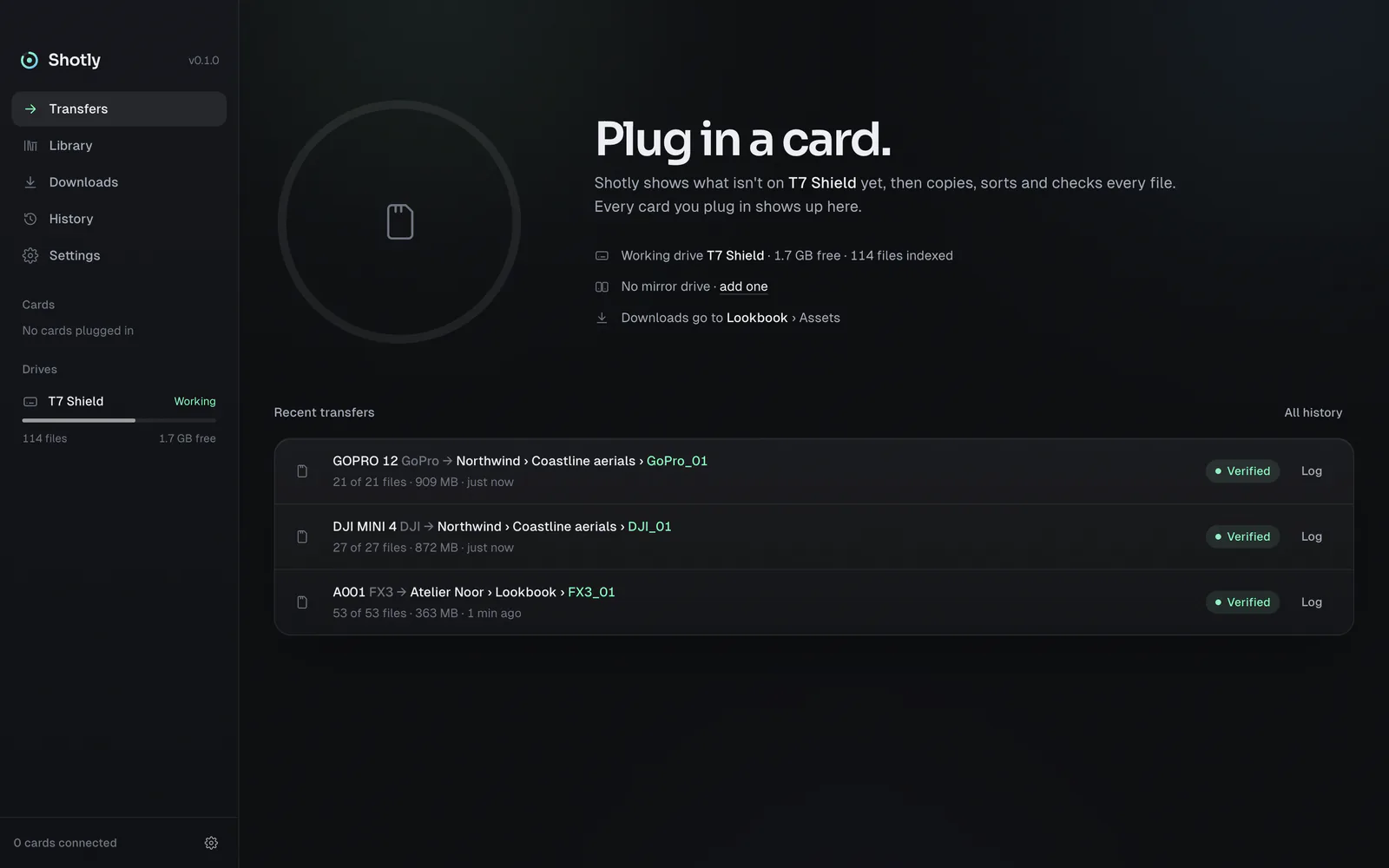
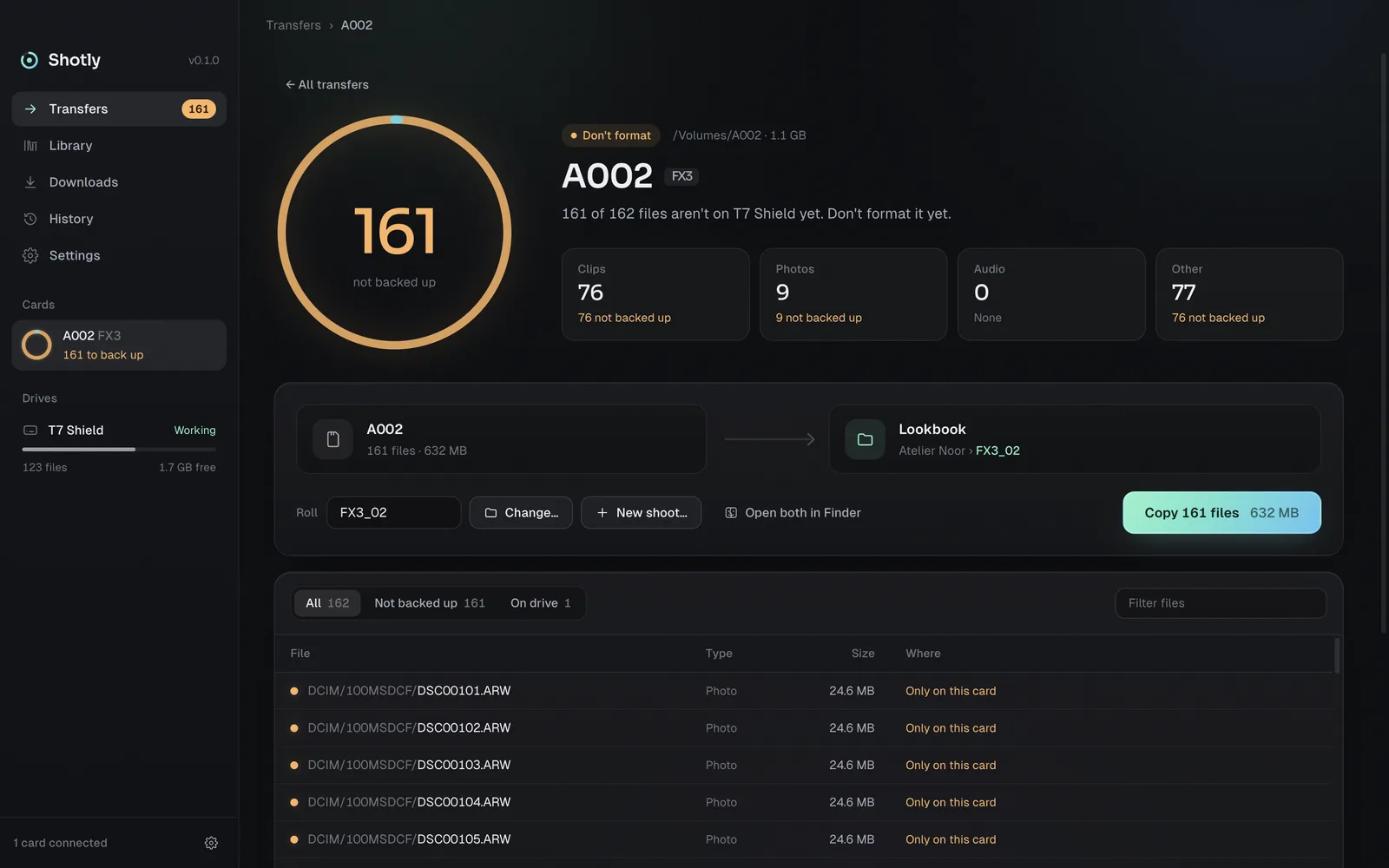
Plug in a card. Shotly shows what isn't on your drive yet, then copies, sorts and checks every file. When the ring turns green, it's safe to format.

€3 including VAT, paid once. No subscription. No account.

See it work

Before you format that card.

How it works

Amber means not yet.
Green means safe.

  1. Plug in.

    Shotly compares the card with your drive in seconds and counts what is only on the card.

  2. Pick the shoot.

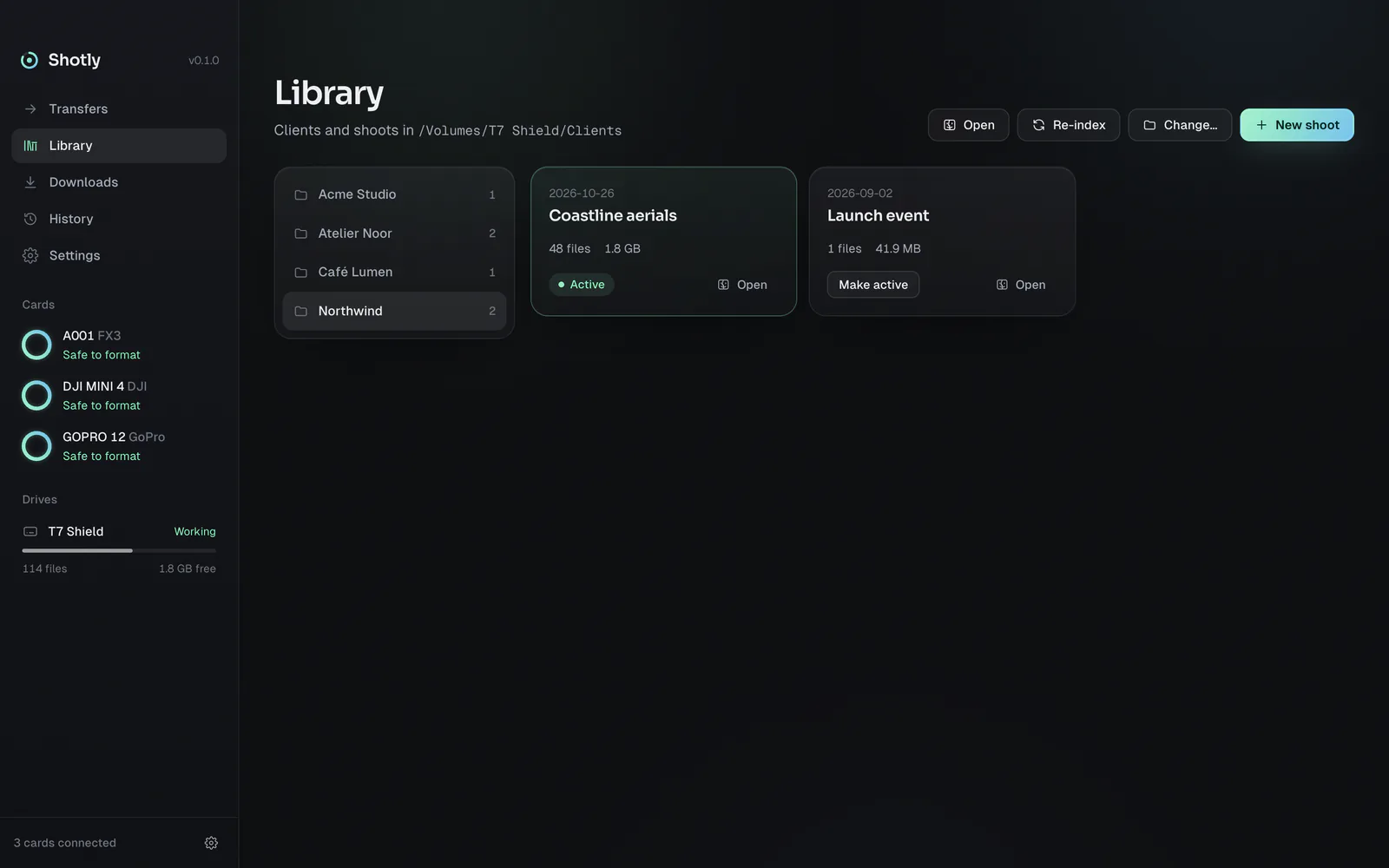
    Choose the client and name the shoot. The folders are made for you.

  3. Copy and check.

    Every file is read back and compared with the card before it counts as safe.

  4. Format.

    Green ring, safe to format. Amber means not yet.

Every card at once

Three cards. One drive. No guessing.

Plug in three cards and watch them copy side by side. Each card gets its own ring, its own progress and its own log. The sidebar tells you which ones are safe to format.
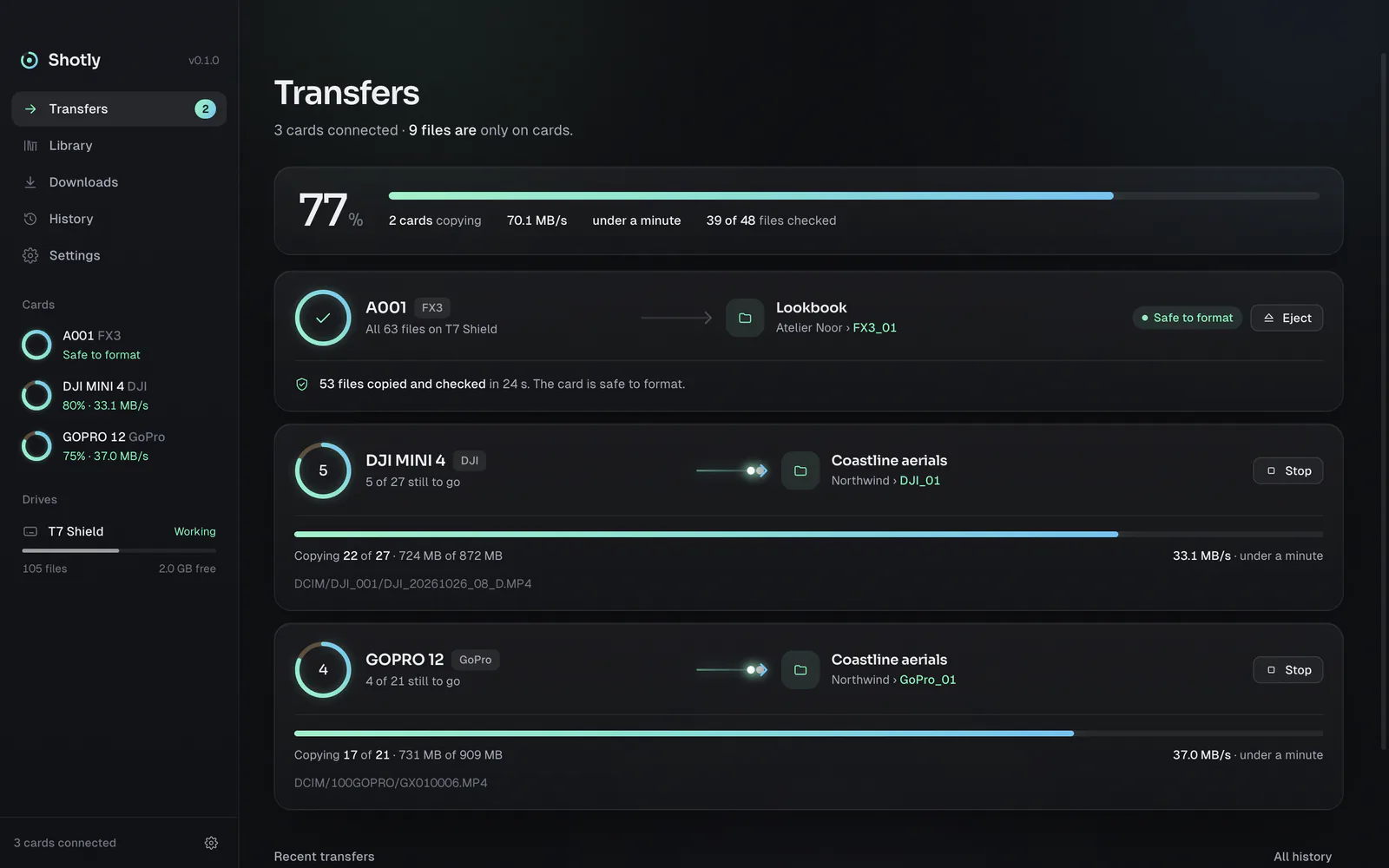
Transfers in Shotly: card A001 is safe to format while DJI MINI 4 and GOPRO 12 copy side by side at 77 percent.
Copy and check

Every file copied. Every file checked.

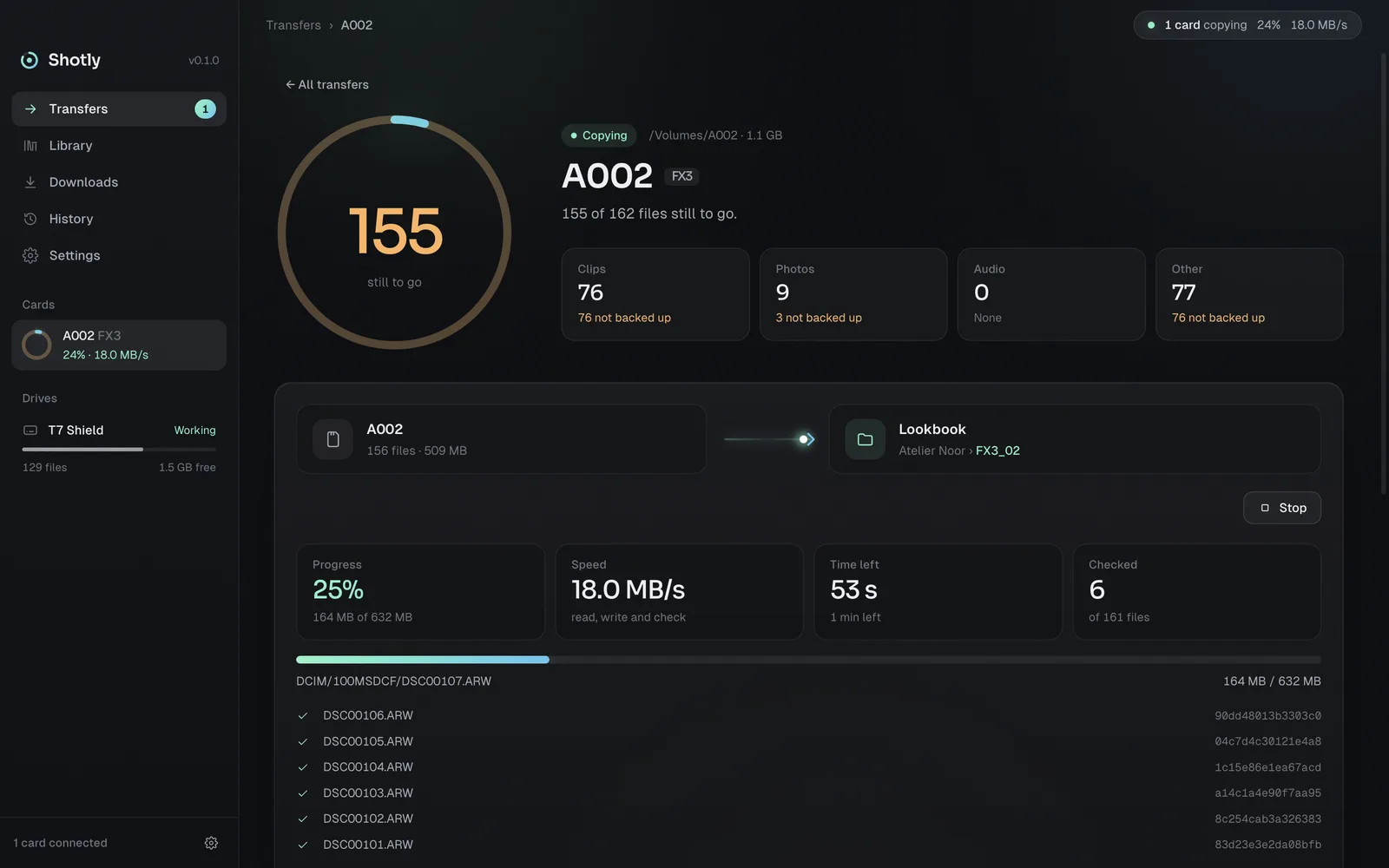
Each file is written to the drive, read back and compared with the card using its xxHash64 checksum. Only a match counts. With a second drive, both copies are checked.

DJI_20261026_08_D.MP4f9b021a9e7997dd0
DJI_20261026_08_D.SRT668021c628623f9f
DJI_20261026_07_D.MP4ba9143bff79efb80
Card A002 copying: 25 percent done, every checked file listed with its checksum.
Music, voiceover, LUTs, graphics

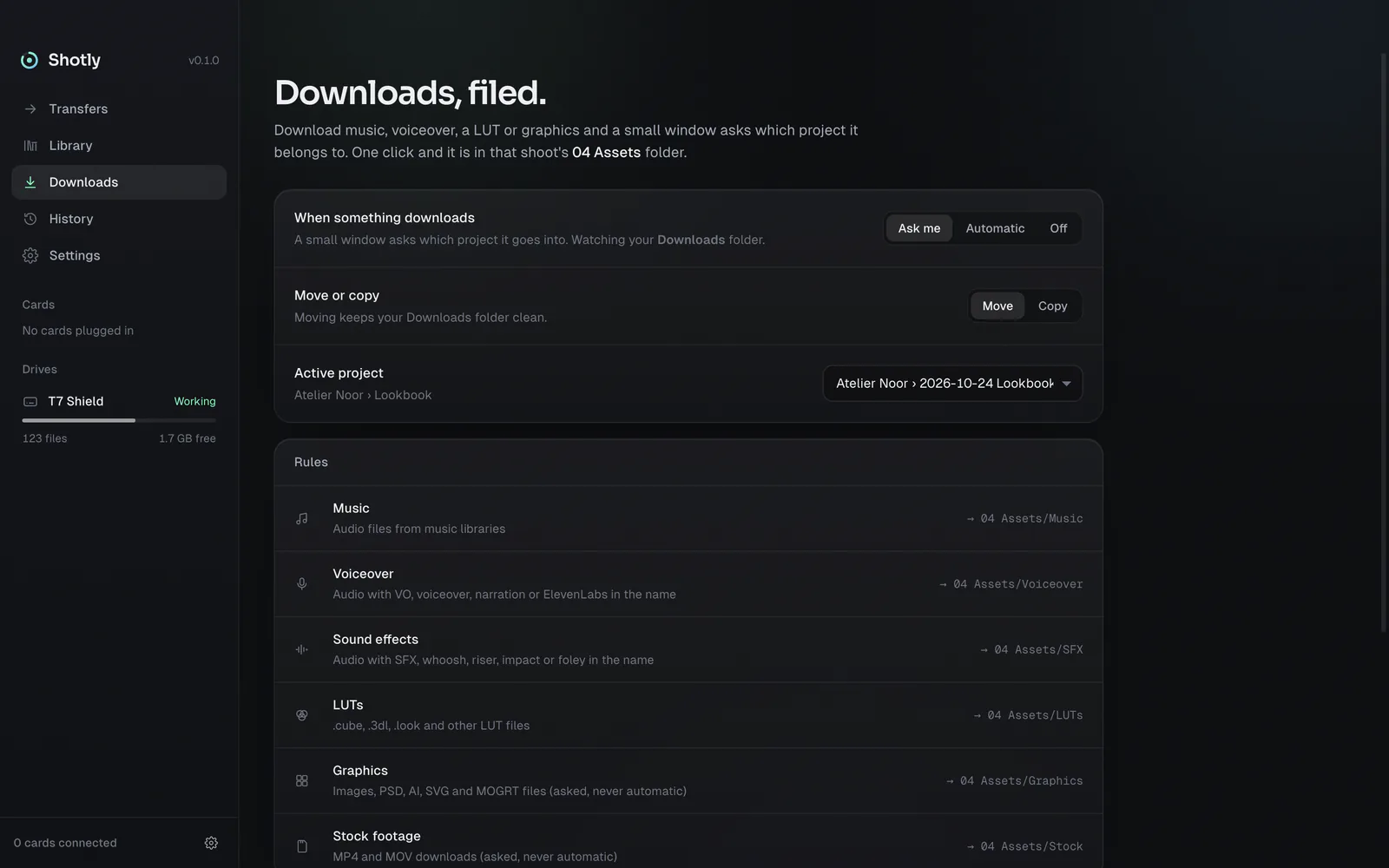
Downloads, filed.

Download music, voiceover, a LUT or graphics and a small window asks which project it belongs to. One click and it is in that shoot's Assets folder.

  • The active project is at the top. Press Return to file it there.
  • Recent projects are one click away.
  • Or choose a folder, or keep it in Downloads.
Menu bar

Your project in the menu bar.

The project you are working on sits next to the Shotly icon. Press Control Option S from any app to check a card or switch project.

Control Option S on a Mac.
Ctrl Alt S on Windows.
Who it's for

Made for people
who shoot.

Filmmakers and videographers

Offload every card on set and see at a glance which ones you can format.

Freelance shooters

Every client and shoot gets the same folders, so each job looks the same on your drive.

Camera operators and DITs

xxHash64 checks, a mirror drive, and MHL files and transfer logs you can hand to the edit.

Photographers

RAW, JPEG and HEIC from every card, matched against your archive by content.

Drone and action cameras

DJI, GoPro and Insta360 cards are recognised, and each roll is named after the camera.

Editors and content creators

Music, voiceover, sound effects and LUTs from your downloads land in the right project.

Features

Everything between
the card and the drive.

By content, not by name.

Renamed a clip? It still counts. Shotly looks at what is inside a file.

Every card at once.

Plug in three cards and watch them copy side by side.

Downloads, filed.

Download music, voiceover, a LUT or graphics and a small window asks which project it belongs to. One click and it is in that shoot's Assets folder.

A second drive.

Mirror every copy to a backup drive. Checked on both.

Logs you can hand over.

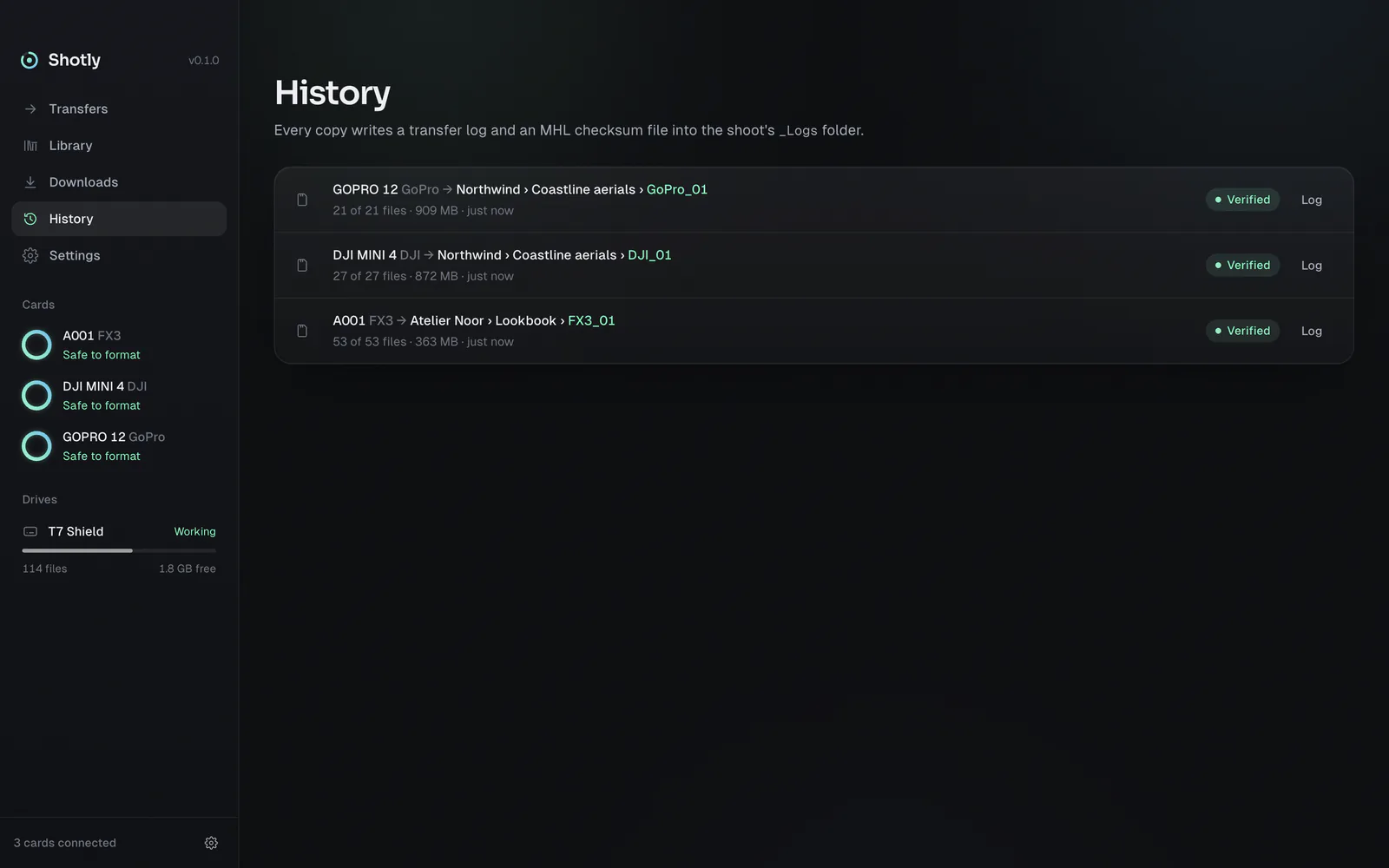
Each copy leaves a transfer log and an MHL checksum file in the shoot.

Lives in your menu bar.

Out of sight until a card goes in, with your current project right next to the icon. Press Control Option S from any app to open it. On Windows it sits next to the clock (Ctrl Alt S).

Screenshots

Calm when nothing is wrong.

Price

Price: €3 including VAT, once.

VAT included. Mac App Store, or a license key for Windows.

  • No subscription.
  • No account.
  • Your footage never leaves your drives.

Mac

€3 on the App Store

Buy and install from the Mac App Store. Apple handles payment and updates. Nothing to activate.

Windows

€3, key by email

Buy a license key and it arrives by email. Install Shotly, paste the key, click Activate. One key works on two of your computers, with no time limit.

For Windows 10 and 11. Lost your key? Find your license key.

FAQ

Questions

Something else? Write to [email protected].

What is Shotly?
Shotly is a camera card backup app for Mac and Windows. It shows which files on a card aren't on your working drive yet, copies them into a folder per client and shoot, checks every copy with an xxHash64 checksum, and tells you when the card is safe to format.
How is it different from copying in Finder or File Explorer?
Finder and File Explorer copy files without checking the result. Shotly reads every copy back and compares it with the card, recognises clips that were renamed, copies several cards at once, sorts everything per shoot and leaves a transfer log and an MHL file. The card backup guide explains why that matters.
Which files does it copy?
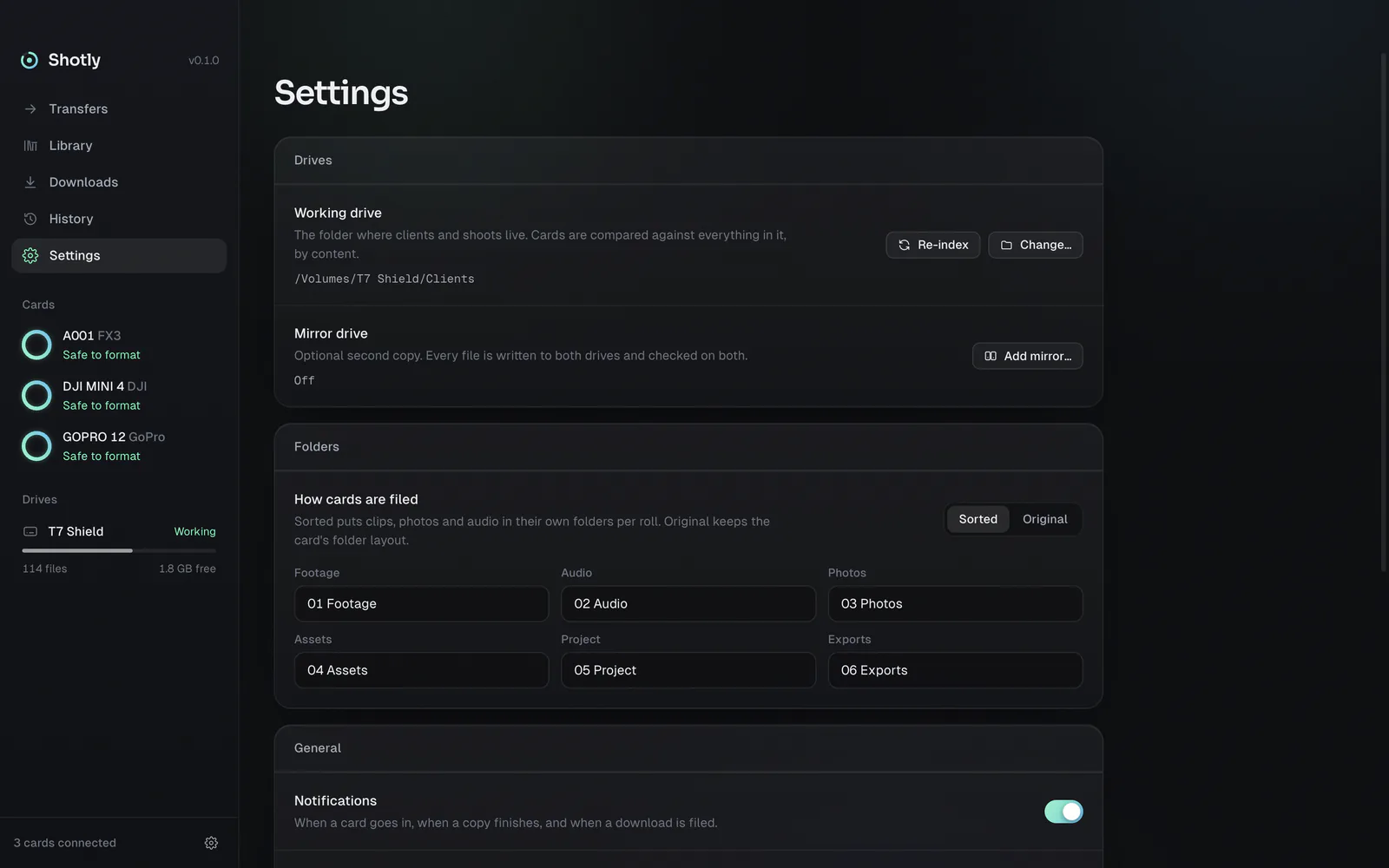
Everything on the card. Video such as MP4, MOV, MXF, BRAW and R3D, photos including RAW files like ARW, CR3, NEF, RAF and DNG, audio such as WAV, and the sidecar files the camera writes. You choose whether files are sorted into Footage, Audio and Photos or keep the card's own folder structure.
Does it work offline?
Yes. Copying and checking never need the internet. The Mac App Store version makes no connections at all. The Windows version needs a connection to activate your key, checks it about once a week, and keeps working offline for up to 30 days.
Does it work with my camera?
Any card your computer can read. Shotly recognises Sony, Canon, DJI, GoPro, Fujifilm, Panasonic, Nikon, Blackmagic, RED and Insta360 cards and names the roll after the camera.
What does checked mean?
After a file is copied, Shotly reads it back from the drive and compares its xxHash64 checksum with the card. Only matching files count.
Where is my license key?
In the email you got after buying. You can also look it up on the key page. On the Mac App Store there is no key.
How many computers?
One license works on two computers, with no time limit. Moving to a new one? Deactivate Shotly on the old one in Settings first.
Can I get a refund?
Only within 8 hours of buying. Email [email protected] within those 8 hours with your order number and the reason. Bought on the Mac App Store? Then Apple handles refunds. All details are in the terms.
Does Shotly upload anything?
No. Your footage never leaves your drives. The Windows version only checks your key with the license server. More in the privacy policy.
Mac or Windows?
Both. Mac through the App Store, Windows with a key from this site.
Who makes Shotly?
Perception Group, in Roeselare, Belgium. For any problem with the app, write to [email protected].

Green means
safe to format.

€3 on the Mac App Store. Windows too.